
Clear Activation Lock
What
Use Clear Activation Lock to remove Apple Activation Lock from an eligible managed Apple device before reassignment or return to service. Activation Lock can be linked to a user's Apple Account (Apple ID) through Find My, or managed through the organization's ADE account. Clearing it depends on the applicable bypass code; having a device record in FileWave is not enough.
When/Why
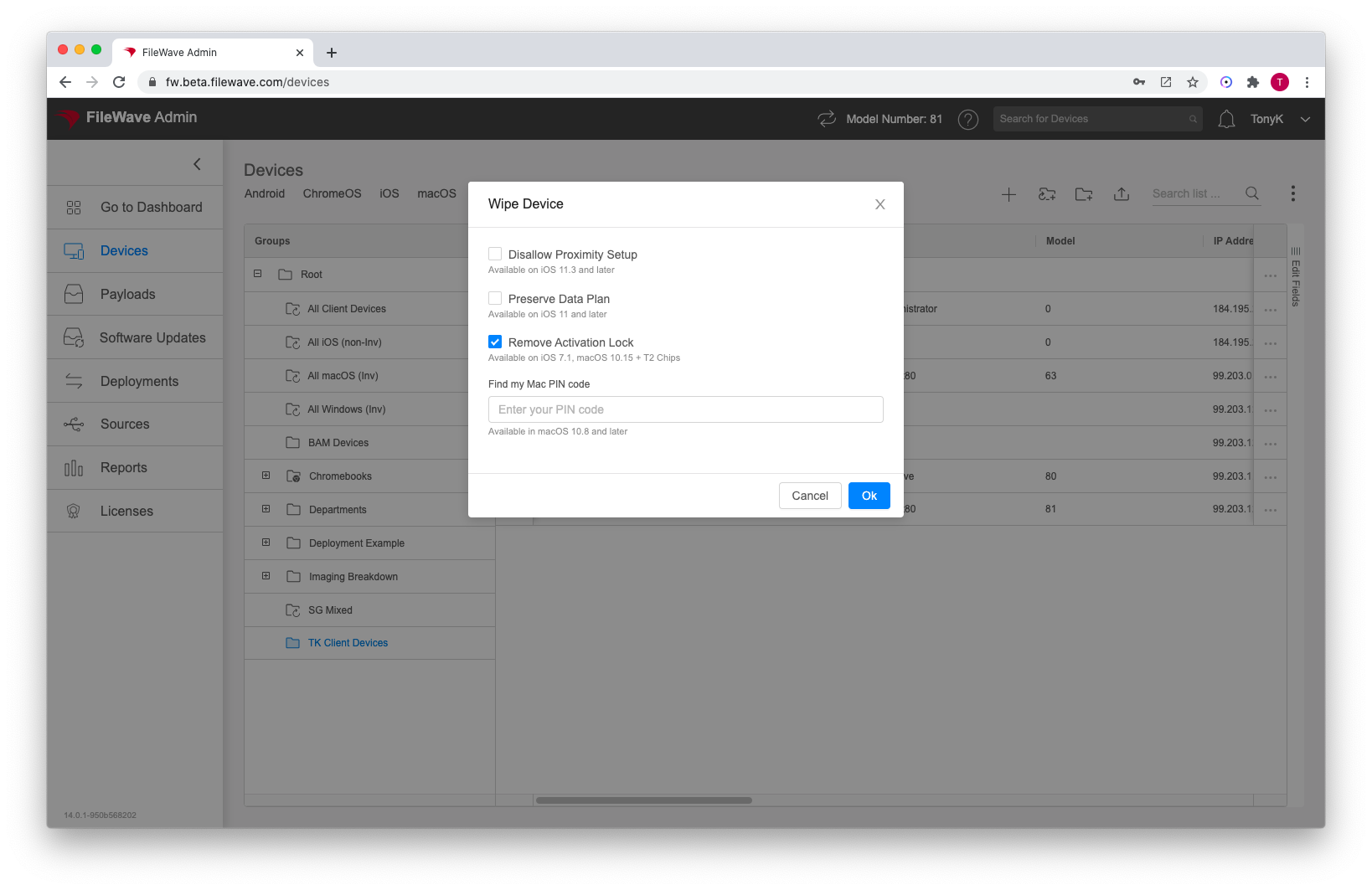
Use Clear Activation Lock when Activation Lock would otherwise block setup or reuse. In FileWave Anywhere, Clear Activation Lock is available as an option in Wipe Device and as a direct command from the device actions menu:
Before you begin
Confirm the selected device belongs to your organization and check that its Activation Lock bypass code is available in FileWave Central > Assistants > Activation Lock Management.... For user-linked Activation Lock on iPhone and iPad, the device must be supervised and the bypass code must have been retrieved while it was available. Do not assume that a visible Clear Activation Lock option proves a usable code is stored.
Wipe Device erases data. Back up anything needed before using that separate action. If you only need to clear Activation Lock, use the direct command below rather than wiping the device as a test.
How
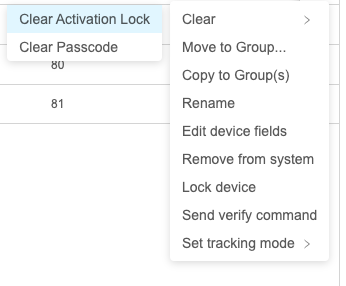
To send the direct command, select the device, open Clear, and choose Clear Activation Lock.
You can also configure Activation Lock behavior in the DEP/ADE profile. See Working with Apple’s Automated Device Enrollment (ADE) for the user-linked and organization-managed options.
Check the result
Before handing over an erased device, complete activation far enough to confirm that it no longer asks for the previous user’s Apple Account. Selecting the command alone is not proof that Activation Lock was removed. If a supervised iPhone or iPad still displays that prompt, follow the Activation Lock bypass-code recovery steps.
If no usable bypass code is available, do not keep erasing the device. Review Apple’s Activation Lock recovery options, including removal through Apple School Manager or Apple Business for eligible organization-owned devices.
No comments to display
No comments to display