
Apple Apps and Books (VPP) Tokens
What
Apple Apps and Books location tokens—commonly called VPP or Volume Purchase Program tokens—connect licenses from Apple Business Manager (ABM) or Apple School Manager (ASM) to FileWave. An organization can use one or multiple location tokens.
When/Why
Each token represents an ABM or ASM location and exposes that location's licensed apps and books to FileWave. In FileWave Anywhere, use Sources → VPP Tokens to add, refresh, edit, or remove a token.
How
Select the plus icon ( ) to add a token. Use the actions menu to edit, refresh, or remove one. Before removal, move or remove the FileWave payloads and license assignments that depend on that token.
Adding or refreshing a token starts with a current location token downloaded from Apple:
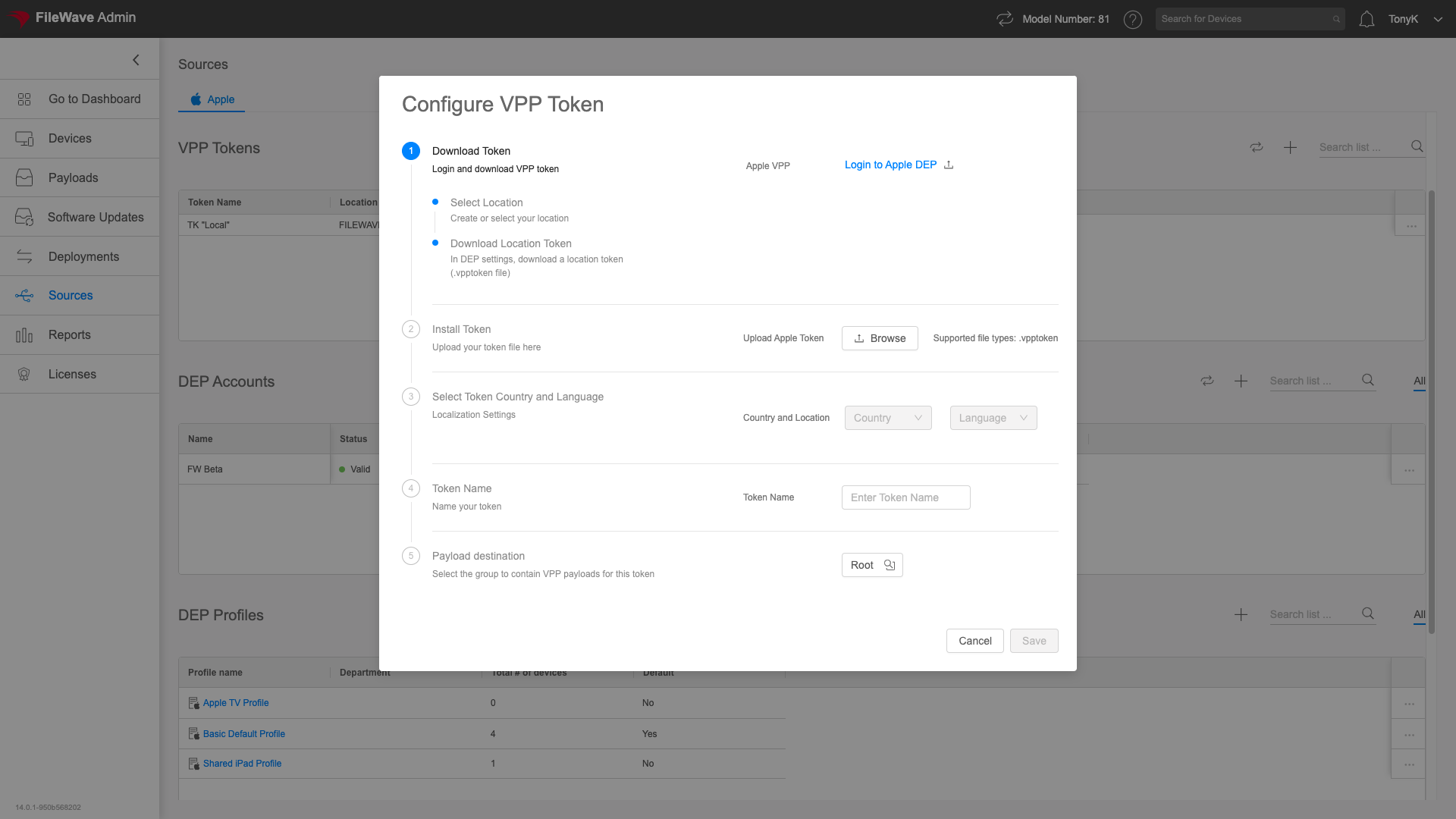
- In ABM or ASM, select the intended location and download its Apps and Books server token.
- Upload the token to FileWave.
- Set the country and language used for store metadata.
- Give the token a descriptive name that identifies its Apple location.
- Choose the FileWave group where synchronized Apps and Books payloads should be created; the default is the root.
|
Be aware that if you attempt to import a VPP token already in use on another system, FileWave will warn you as shown:
Do not import a token that is actively used by another MDM service. Confirm ownership and migration timing first so license synchronization and assignments are not disrupted. |

No comments to display
No comments to display