
Opening FileWave Central / Anywhere in a Specific Language (Windows)
What
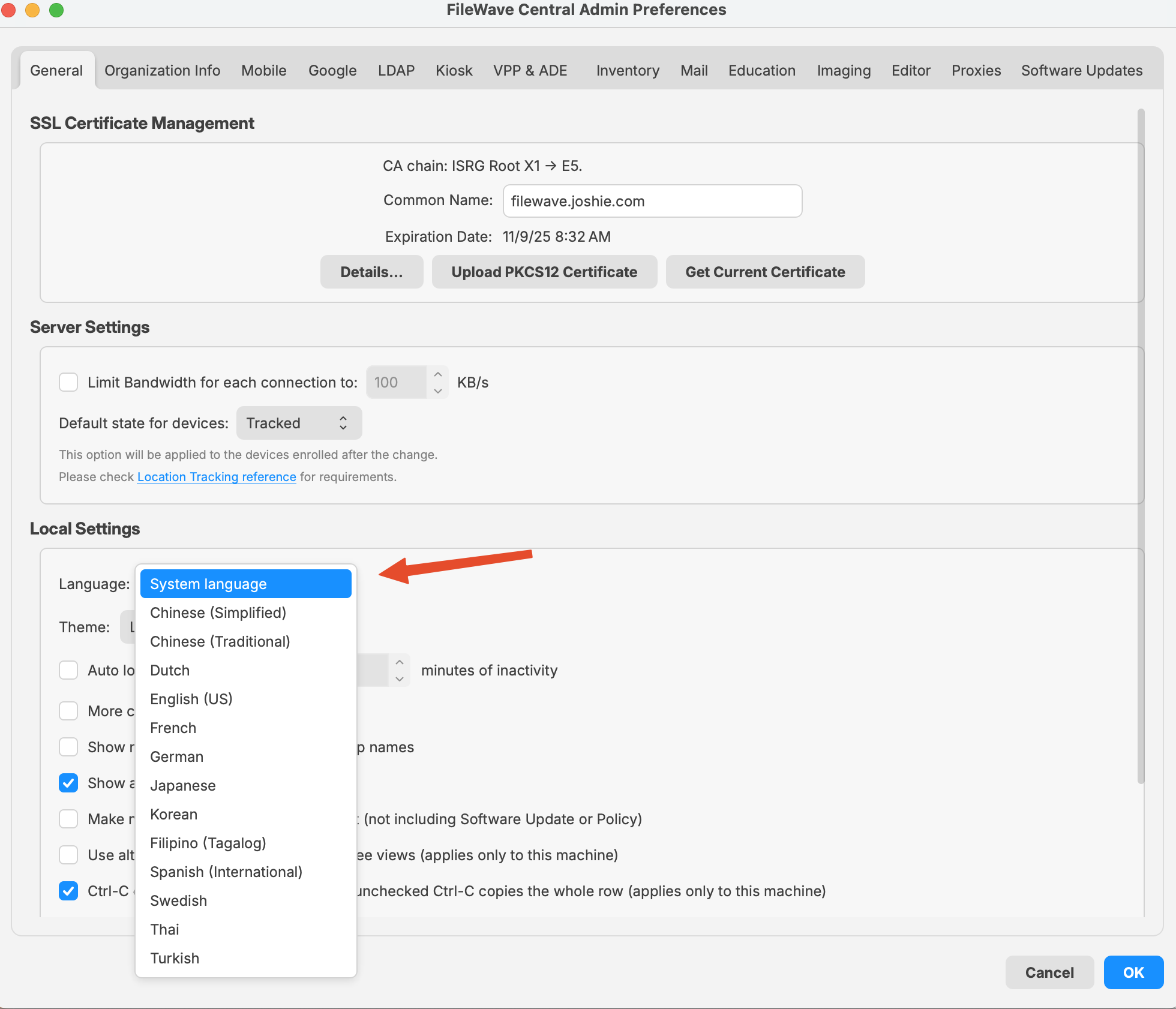
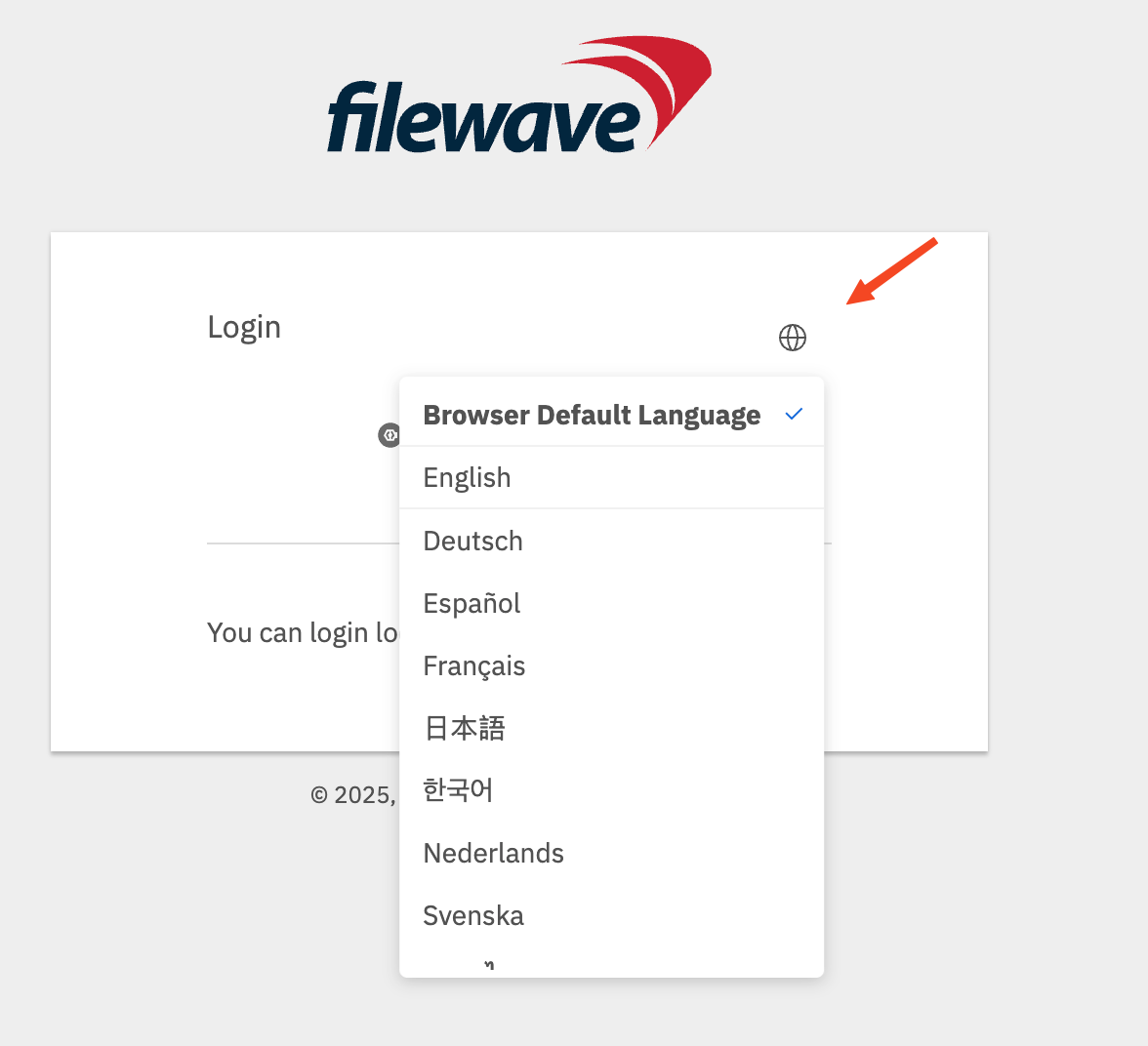
FileWave Central and FileWave Anywhere normally use the workstation's configured language and fall back to English when that language is unavailable. On Windows, you can choose a language in current releases or use the legacy --lang launch argument for older versions.
When/Why
Use this when an administrator needs Central or Anywhere in a language that differs from the Windows display language, such as running Central in English on a German workstation.
How
Windows: FileWave 16.2.0 and later
Use the language selector in either Central or Anywhere to override the system language. The Central screenshot below was captured on macOS, but the selector is presented the same way on Windows.
|
|
|
Legacy Windows path: FileWave 15.4.2 and earlier
For these older releases, create a Windows desktop shortcut that launches FileWave Central with the required locale code:
"C:\Program Files (x86)\FileWave\FileWaveAdmin.exe" --lang en_USLegacy Windows path: FileWave 15.5.0 through 16.1.x
"C:\Program Files\FileWave\admin\FileWaveAdmin.exe" --lang en_USAvailable locale codes
Use one of these locale codes with the legacy --lang argument:
|
Language |
Locale Code |
Notes |
|---|---|---|
|
English (US) |
en_US |
Use for American English. |
|
German |
de_DE |
Standard locale for German in Germany. |
|
French |
fr_FR |
Standard locale for French in France. |
|
Korean |
ko_KR |
Korean for South Korea. |
|
Japanese |
ja_JP |
Japanese for Japan. |
|
Chinese (Simplified) |
zh_CN |
For Mainland China. |
|
Chinese (Traditional) |
zh_TW |
For Taiwan. |
No comments to display
No comments to display