
Preview Smart Group Membership
What
An Inventory Report (formerly Query) can return records that are not eligible for Smart Group membership. For example, inventory for a deleted device may remain until the next model update. The report preview can still show that record even though the saved Smart Group will not include it.
When/Why
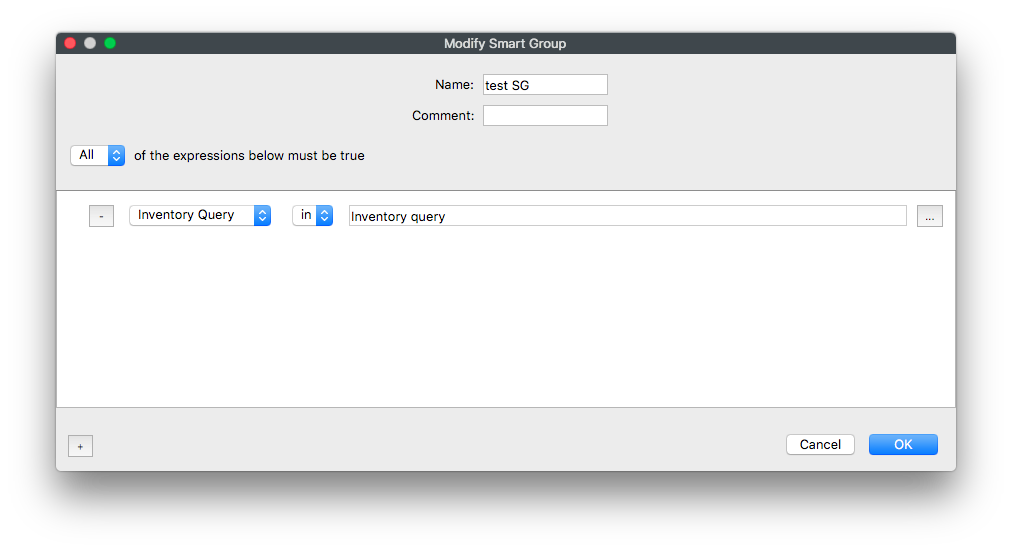
In the Smart Group editor, use the Clients tab next to Fields to preview eligible Smart Group members. The Clients tab uses identification columns independent of the fields selected for the Report and filters out record types that cannot join the Smart Group.
How
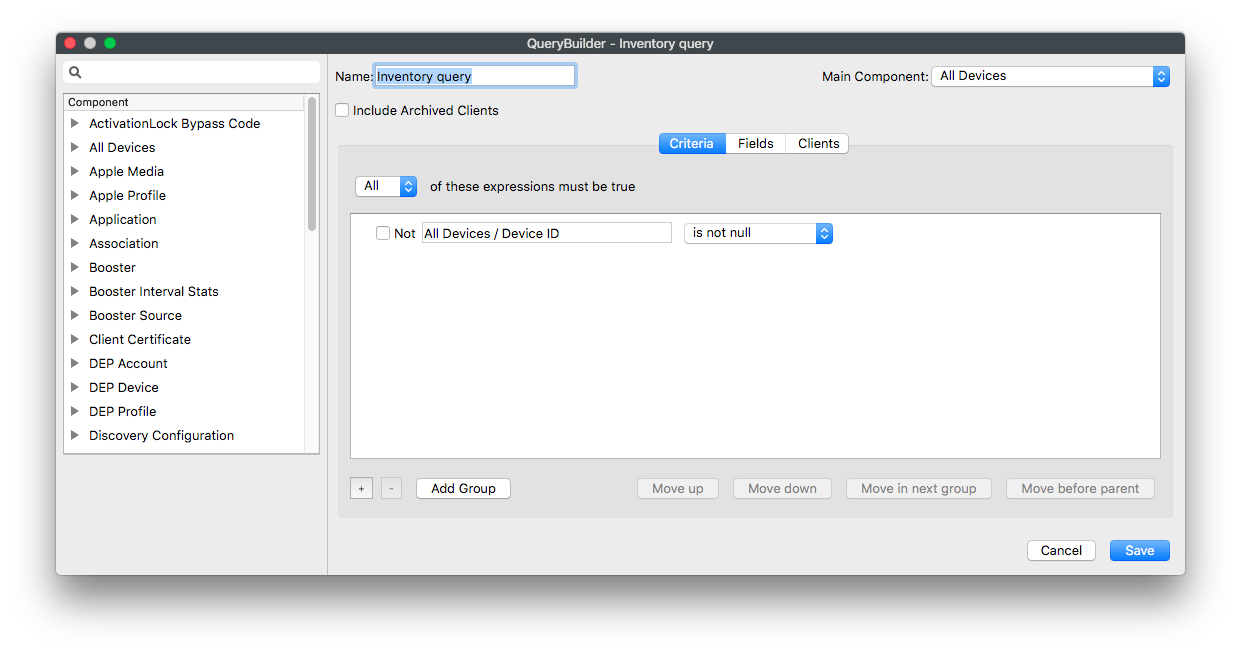
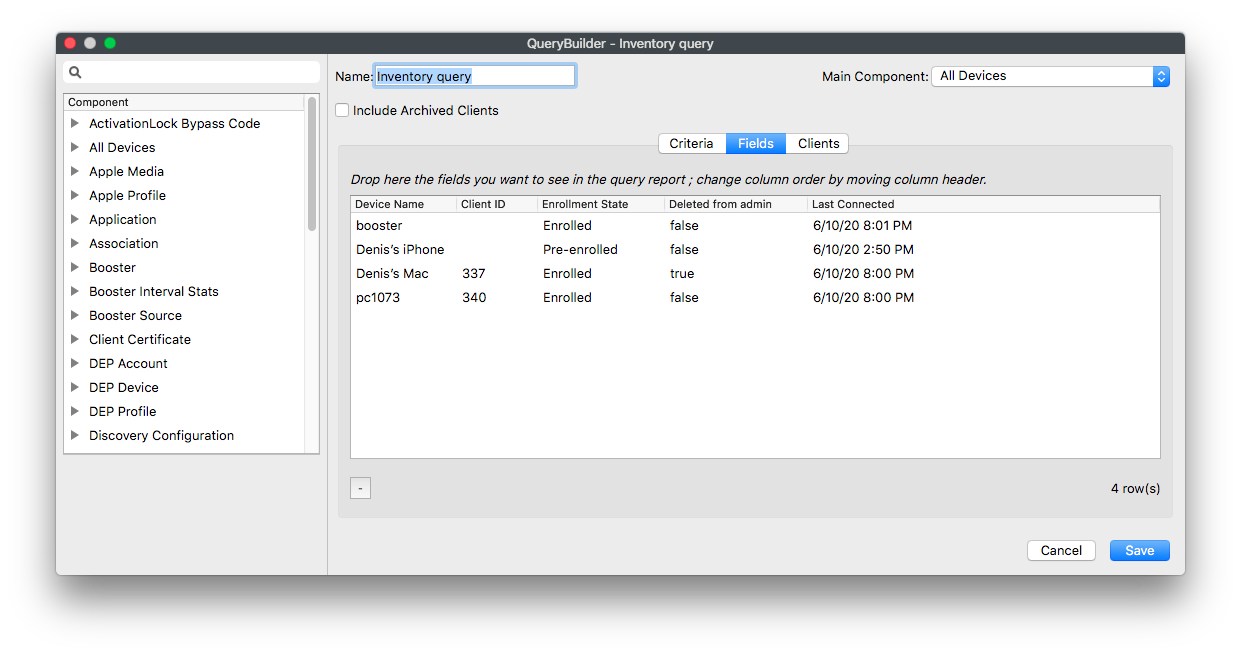
The example below uses the criterion Device ID is not null. The Fields preview includes enrolled clients, pre-enrolled clients, deleted-client inventory, and Boosters; placeholders are filtered:
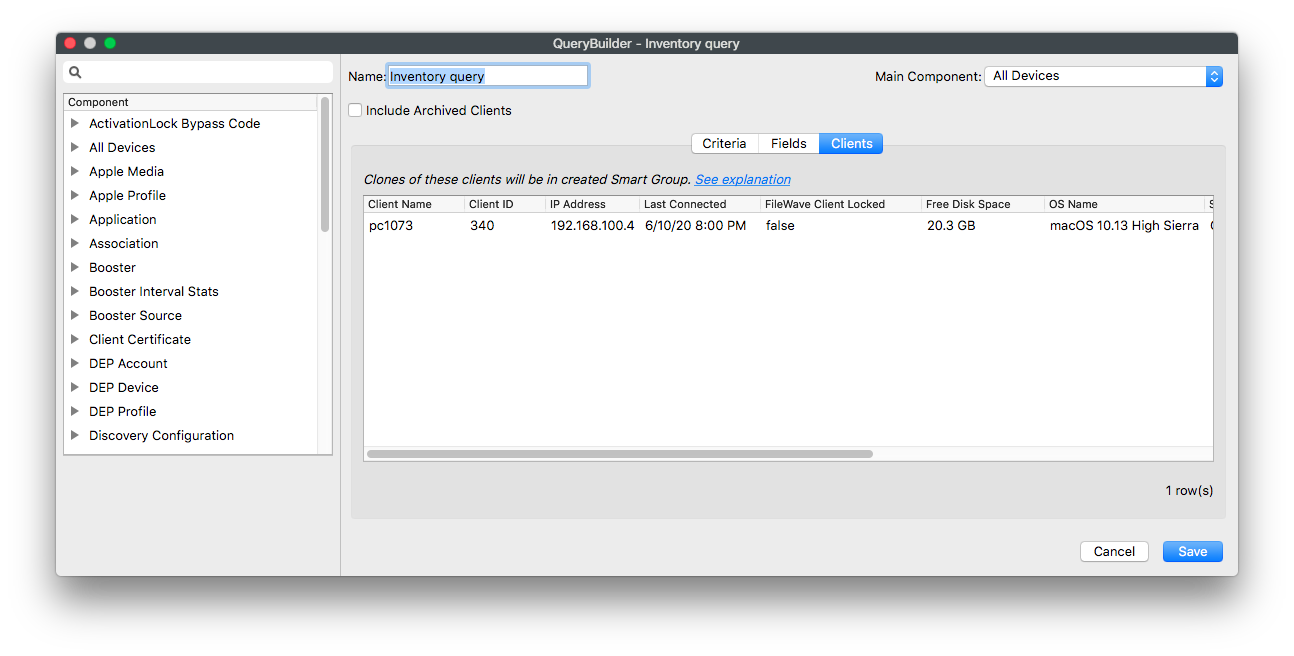
On the Clients tab, only the eligible enrolled client appears. Use this count when validating the Smart Group, then save and update the model before checking final membership:
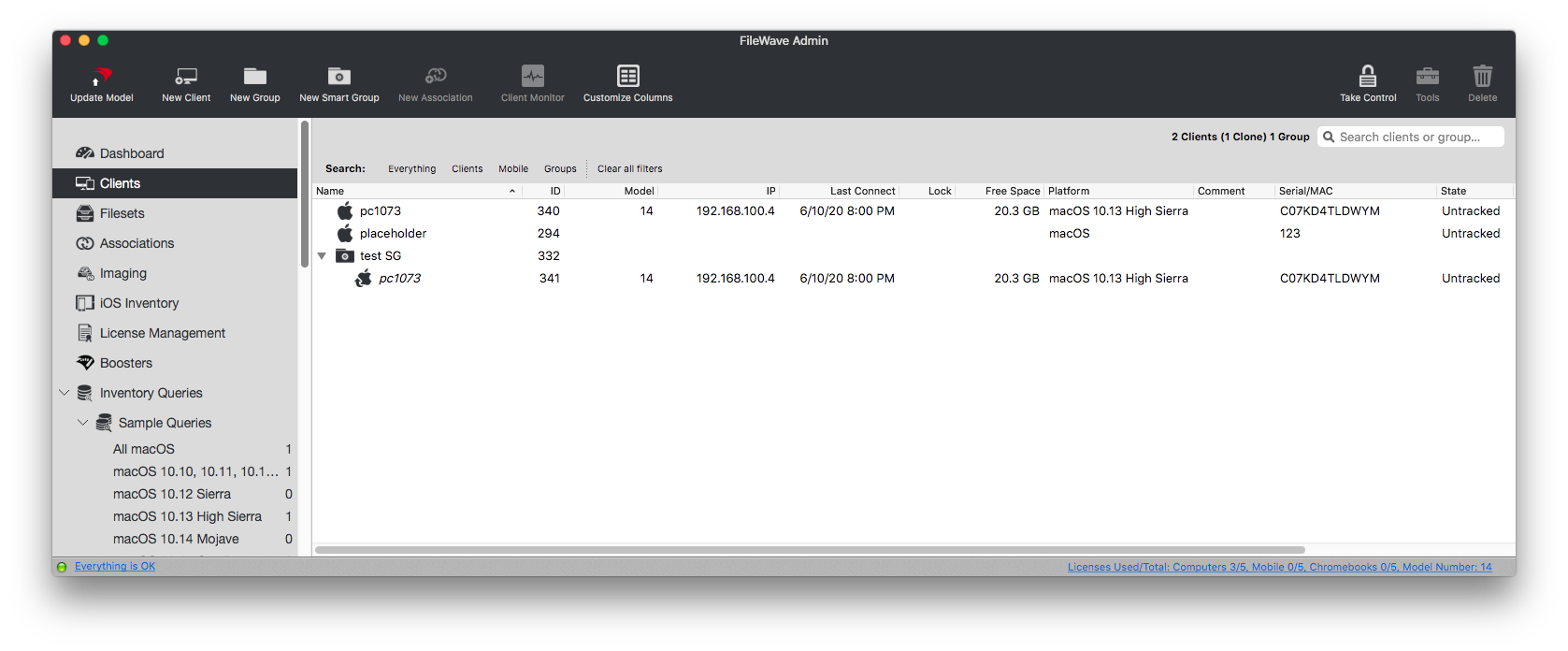
Duplicate-record boundary. If two inventory records share the same filewave_id, the Clients preview can show both even though the saved Smart Group contains one client. Confirm final membership after the model update.
No comments to display
No comments to display